United Kingdom
Edit Your UK Driving Licence Photo Online
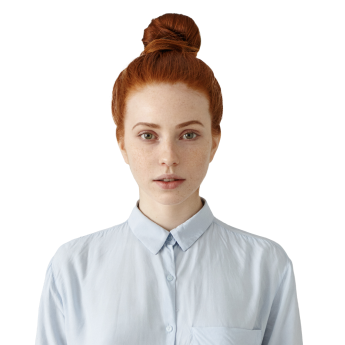
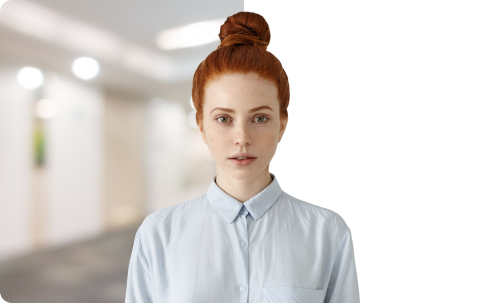
Upload your photo and get a perfect UK driving licence picture instantly!


 Compliance
check


- Upload a photo for your UK driving licence.
- Modify the photo with our service.
- Choose a background colour
- Get a digital photo for online submissions or a file optimised for printing
Get the Photos for Your Driving Licence

from our website

by email

Photos for UK Driving Licence - Key Requirements and Documents
List of Documents for a Driving Licence
- Valid UK passport number
- Residency proof (last 3 years)
- National Insurance number.
- Biometric Residence Permit
- Non-UK passport or identity card
- UK birth or adoption certificate
- Recent passport-style colour photo
For up-to-date information and more detailed guidance, refer to the official UK government website.
Requirements for a Driving Licence Photo
- Recent photo taken within the last month
- Plain background in a light, solid colour
- Face the camera with a neutral expression
- Eyes open, clearly visible, and not obstructed
- No sunglasses or tinted glasses in the photo
- No headwear unless for religious reasons
- Photo size: 45mm high and 35mm wide
With our reliable editor you can adjust your photo to meet the strict guidelines.
Reviews


FAQs
How many photos are required when applying for a UK driving licence?
When applying for a UK driving licence by post, you need to provide one recent passport-type photo. If applying online, the Driver and Vehicle Licensing Agency (DVLA) may use your UK digital passport photo, eliminating the need for a separate picture.
What are the size requirements for a driving licence photo in the UK?
The photo must measure 45 millimetres (mm) high by 35mm wide—the standard size used in photo booths. Ensure the photo is in colour, taken against a plain light-coloured background, and free from shadows.
Is it acceptable to wear makeup in a photo for your driving licence application?
Yes, makeup is acceptable as long as it does not alter your appearance significantly. The photo must be a true likeness, with a natural expression, and without any facial coverings unless for medical or religious reasons.
What clothing is considered appropriate for a UK driving licence photo?
You should wear everyday clothing in your driving licence photo. Uniforms or clothing that resemble uniforms should be avoided. Head coverings are not permitted unless worn for religious or medical reasons. Ensure your face is fully visible, with no shadows.
What should I do if I haven't received my driving licence after applying?
If your driving licence hasn't arrived within three weeks of your application, contact the Driver and Vehicle Licensing Agency (DVLA). Ensure you have your personal details and application reference number ready when reaching out. Delays can occur due to high application volumes or if additional photo verification is required.
Am I allowed to drive while my driving licence application is being processed?
Under Section 88 of the Road Traffic Act 1988, you may be allowed to drive while your application is with the DVLA, provided you meet certain criteria. These include having held a valid licence previously, adhering to any medical conditions, and ensuring your application is not for a first provisional licence. It's essential to review the specific requirements to confirm your eligibility.
Do I have to update the photo shown on my driving licence as I get older?
Normally, there is no need to update the photo in your licence, as long as the old one still can be used for your identification. However, you must inform the DVLA promptly of any changes to your name or address. This can be done online or by post. Failing to update your essential details can result in a fine of up to £1,000. Ensure you have the necessary documentation, such as proof of the change, when submitting your update.
What should I do if my driving licence application photo is rejected?
If your driving licence application photo is rejected, the Driver and Vehicle Licensing Agency (DVLA) will inform you of the specific reason. Common causes for rejection include digital alterations, incorrect facial expression, and inappropriate headwear. Review the feedback, retake the photo, and resubmit it promptly.