United States
Online Passport Photo Maker
Create a passport photo that meets all official requirements fast & hassle-free!


 Compliance
check


- Select the country and document type you need, and then upload your photo
- Let the program automatically crop & resize your pic
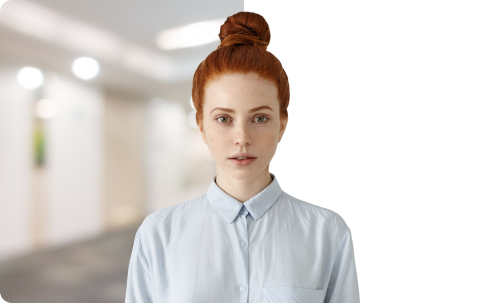
- Pick a background color or keep the original
- Save as a digital photo for online applications or PDF file for printing
Get Your Passport Photos the Way You Like

from our website

by email

General Photo & Document Requirements for Passport Application
Standard List of Documents:
- Completed application form (provided by your national passport authority)
- Proof of citizenship (e.g., Birth Certificate, Naturalization Certificate, etc.)
- Photo ID (e.g., National ID card or Driver’s License)
- Payment for the applicable fees
- Passport-sized photo (1 to 3 depending on the country)
Requirements for Passport Photos:
- Must meet the specific size requirements of your country (2 x 2 inches, 35 x 45 mm, etc.)
- Plain, light-colored background (usually white, off-white, or light gray) with no shadows
- Taken recently, within the last 6 months
- Printed in color on photo-quality paper
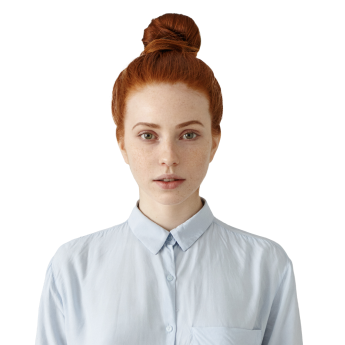
- Full face in view with neutral expression
Reviews


FAQ
How many passport size images do I need?
Most countries demand anywhere from one to three identical shots depending on their specific regulations and your application method. Going the traditional route? You’ll need physical prints. Print them at home on the right paper, or hit a local shop. Opting for an online renewal instead? You’ll need a high-res digital file, rather than a physical slip of paper. Different format, same strict rules.
What clothes can I wear for my passport photo?
You should wear everyday clothing that is in contrast to the background requirements for your passport country. Uniforms, camouflage attire, and clothing resembling official uniforms are not allowed. Hats or head coverings are acceptable for religious or medical purposes only, with the face fully exposed.
What are the size requirements for a passport picture?
It depends on where you’re applying, as dimensions are far from universal. The two most common international standards are:
- 35 x 45 mm: Used by most European countries, the UK, Australia.
- 2 x 2 inches (51 x 51 mm): Used primarily in the United States.
These tiny measurements can make or break your application, so it’s vital to know which specific standard your home country follows before you hit print.
Can I wear glasses in a photo?
The short answer is almost always no. Most passport agencies have moved toward a "no-glasses" policy to ensure total biometric clarity. Frames can cause glare and shadows that obscure your eyes. Colored contact lenses and sunglasses in passport photographs are prohibited as well.
How does PhotoMachine.Online work?
This passport photo maker is a quick and convenient tool for creating ID images from the comfort of your home. First, select the country and document type you need, and upload your headshot. Then, let the program automatically detect facial features to crop your picture to meet official passport requirements. You can also change the background to a clean white one or leave the original backdrop untouched if it's acceptable. Once the photo is ready, you can download it as a digital file for online applications or as a PDF for printing. The whole process of creating a passport image is super easy and takes less than 5 minutes.
How can I be sure my passport photo will be accepted?
PhotoMachine takes the guesswork out of passport photo creation. The service uses an up-to-date database of government guidelines for 130+ countries to automatically crop and optimize your photo, ensuring it meets all current requirements.
Which countries can I use PhotoMachine to prepare passport photos for?
You can use our online service to prepare passport photos for over 130 countries, including popular destinations like:
What other types of photos can I create with PhotoMachine?
We aren't just for globetrotters. In addition to standard passport photos, our service is perfect for creating compliant photos for nearly any official document. Whether you’re applying for a visa for your next big trip, renewing a driver's license, or applying for a Green Card, we’ve got you covered. From student IDs and firearm licenses to specialized work permits, if the document requires a compliant portrait, PhotoMachine can likely produce it.